How to Add Your Food Business to Google Maps: A Step-by-Step Guide for Restaurants, Cafés and Food Stalls
A step-by-step guide to putting a restaurant, café, food stall or cloud kitchen on Google Maps with a Google Business Profile: check whether you are already listed, create or claim the profile, verify it with a video, then add your menu, hours, photos and reviews.
Muhammad Ramadiansyah · Co-Founder & CTO Intura10 min read
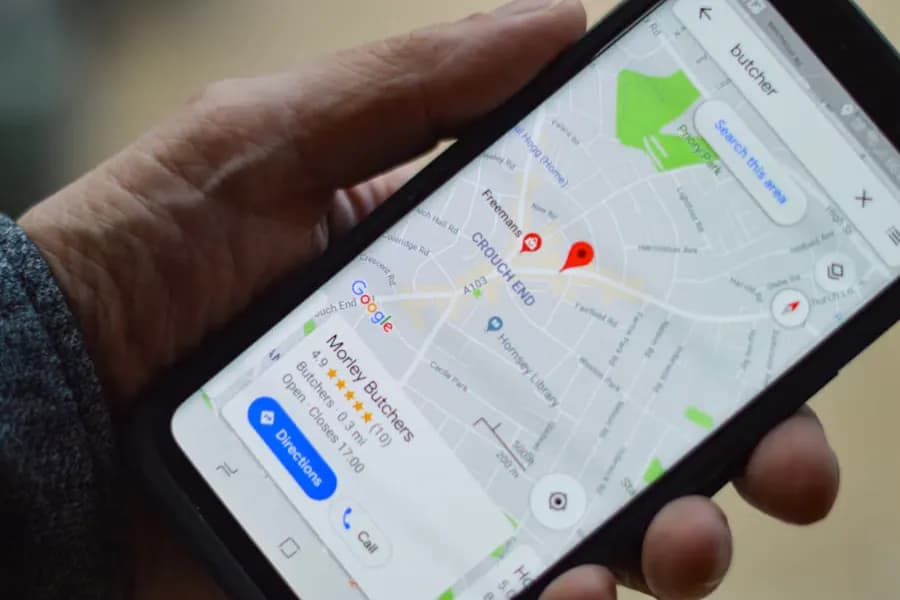
To add a food business to Google Maps, first search for your place on Google Maps. If it isn't there, create a profile at business.google.com/add. If it's there but nobody manages it, tap "Claim this business". Then verify the profile (usually by recording a video on site) and fill in your category, hours, menu, photos and ordering links. All of it is free. The slowest part is verification, which Google says takes up to 5 business days to review.
Many café and food stall owners only find out their place is already on Google Maps because a customer added it, often with the wrong hours and a blurry photo. Others have been open for two years and still don't show up when someone types "noodles near me". This guide covers both cases, plus the rules for restaurants and cloud kitchens that most often get profiles rejected.
Steps and button names were checked against Google's help pages on 9 November 2026. Google renames menu items often, so your account may look slightly different.
What do you need before you start?
Have these six things ready so you can finish in one sitting:
| What to prepare | Why it matters |
|---|---|
| A Google account owned by the business (not a staff member's personal account) | The account that creates the profile owns it. If that person leaves, access leaves with them. |
| Your name exactly as it appears on your sign | Google wants the name you use in the real world, with no extra keywords. |
| A full address and map location | The address must be real and reachable. If it's hard to find, you can drop a pin on the map. |
| A phone number that can take calls or texts | Customers use it, and Google sometimes sends verification codes to it. |
| Opening hours, including holidays | Wrong hours are among the most common complaints in restaurant reviews. |
| Your full menu and 10–20 photos | Storefront, dining room and signature dishes. A storefront photo helps people recognise you from the street. |
Step 1: Check whether your place is already on Google Maps
Open the Google Maps app and search for your business name plus your area, for example "Kopi Teduh Cibubur". You will land in one of three situations:
- Not listed at all — go to Step 2 and create a new profile.
- Listed, with a "Claim this business" link — someone added your place but nobody manages it. Select it, tap About, then Claim this business and Manage now. Skip straight to Step 3 (verification).
- Listed and managed by someone else — a former employee, a previous owner or an agency. When you try to claim it, Google offers to request access. Fill in the form and Google passes the request to the current manager. Google's help page says they have 3 days to respond, and you can track the status from the confirmation email.
Don't create a new profile if your place already exists. Each location may have only one profile, and duplicates are usually merged or suspended, along with the reviews they've collected.
Step 2: Create a Google Business Profile for your restaurant
Go to business.google.com/add on a laptop or phone, sign in with the business Google account and choose Add your business to Google. Fill in the on-screen fields like this.
Business name: exactly what's on your sign
Write "Warung Bu Sri", not "Warung Bu Sri – Cheap Tasty Rice Meals Near Bogor Station". Google's guidelines ban taglines, city names, food types, phone numbers and hours inside the name. Keyword-stuffed names sometimes rank for a while, but they are also the most common reason a profile is suspended after a competitor reports it.
Category: pick the most specific one
Your primary category decides which searches show your place. Pick the narrowest correct one: "Coffee shop" for a coffee shop, "Padang restaurant" for a Padang restaurant, "Bakery" for a bakery. Google recommends as few categories as possible, only the ones that describe your core business. You can add secondary categories later, such as a café that also sells bread.
Location: do customers come to you, or is it delivery only?
Google asks whether customers can visit your location. The answer depends on the type of business:
| Type of business | Address setting |
|---|---|
| Food stall, café or restaurant with seating or a pickup counter | Show the address. A permanent sign with the same name is required. |
| Cloud kitchen or delivery-only catering | Hide the address and set a service area. Google requires delivery-only brands to have their own branded packaging and their own website. |
| Home-based food business where customers don't visit | Hide your home address and set a service area (city or district). |
| Several brands from one kitchen | One profile per brand. Combined names such as "Brand X / Brand Y" aren't allowed, and Google applies extra verification. |
Enter the address as usual, then drag the pin to your entrance. If you're inside a mall or food court, put the floor and unit number on the second address line.
Contact: phone and website
Use a number someone actually answers during opening hours. If you don't have a website yet, leave the field blank and add it later. To build a simple site for free, see how to build a free landing page with AI.
Step 3: Verify the profile, usually with a video
An unverified profile can't be fully managed and usually doesn't show normally on Maps. Google decides which methods you get, based on your business type, public information, region and hours. The options you may see:
- Video recording — Google recommends it when your business is eligible. It's the most common option for restaurants.
- Phone or text — a code goes to your business number. Numbers behind an automated phone menu (IVR) won't receive it.
- Email — follow the steps in the email Google sends.
- Live video call — a Google support agent walks you through showing your location on a call during business hours.
- Postcard — a 5-digit code arrives by mail. Most arrive within 14 days, and codes expire after 30 days.
How to record a verification video for a restaurant
The video must be recorded live on your phone, from inside your profile. You can't upload something you filmed earlier.
- Open your Business Profile on your phone, tap Get verified, then choose Business video.
- Allow access to location, camera and microphone.
- Start recording outside. Show street signs, the building number, or nearby shops and landmarks.
- Point the camera at your permanent sign, with the same name as your profile.
- Go inside and show that you run the place: open the kitchen, the cashier area or the storeroom, or log in to your point-of-sale system.
- Record at least 30 seconds in one continuous take, with no cuts or edits. Review it, re-record if needed, then tap Upload video.
Don't show bank account numbers, tax IDs, national ID numbers or other people's faces. Record outside rush hour so no customers end up on camera. The review takes up to 5 business days. If it's rejected, tap Review issues in your profile and record a new video that includes everything from the first one plus what was missing.
The most common reasons food businesses get rejected: the sign isn't permanent yet (only a temporary banner), the name on the sign doesn't match the profile, or the video doesn't show the outside of the building.
Step 4: Complete the profile so customers pick you
A verified but empty profile rarely gets chosen. People looking for somewhere to eat decide in a few seconds, from photos, hours, rating and menu. Fill these in from Edit profile.
Hours and special hours
For restaurants, Google wants dine-in hours as your main hours. If you don't offer dine-in, use your takeout hours. Also set special hours for public holidays, Ramadan opening times and the Eid holiday. Wrong hours during the fasting month drag down a rating faster than almost anything else.
Menu
Use the menu editor: create sections (mains, drinks, snacks), then add each item with a name, price and short description. Google's guidelines say the menu must list every item you offer, not only the popular ones. Menu changes can take 24–48 hours to appear on Maps and Search. Add a sharp photo of your printed menu too, with the whole page in frame.
One rule that's often broken: a menu link may not point straight to a third-party ordering or delivery app. Link your menu to a menu page on your own website.
Ordering and reservation links
If your profile shows a food ordering section, check which providers appear there. Google sometimes adds delivery services automatically. You can choose a preferred provider or remove a wrong link. This feature and its list of providers vary by country, so work with what your account offers.
Attributes and description
Tick the attributes that are true: dine-in, takeout, delivery, outdoor seating, Wi-Fi, good for kids and so on. Which attributes you see depends on your category. People use them to filter results, for example to find a café with Wi-Fi. Write the description as one paragraph: what you sell, who it's for and what makes it different. Google bans promotional and price language in descriptions, so leave out "50% OFF EVERY DAY".
Photos
Upload a storefront photo from across the street, the dining room in daylight, three to five signature dishes in natural light, and your menu board. Real phone photos earn more trust than brochure shots. Add new photos whenever you launch a dish or renovate.
Step 5: Collect and reply to reviews
Reviews are the biggest reason people choose one restaurant over the one next door. Google provides an official link and QR code for requesting reviews: open your profile, choose Read reviews, then Get more reviews, and copy the link or download the QR code.
- Print the QR code on table stickers, receipts or takeaway packaging.
- Send the review link on WhatsApp after a catering or large order is delivered.
- Ask every customer the same way. Google's policies ban asking only happy customers for reviews, and ban discounts or gifts in exchange for reviews.
- Reply to every review, especially negative ones. Acknowledge the problem, say what you fixed, and don't argue. Future customers read your reply, not just the complaint.
The mistakes that most often get a profile rejected or suspended
| Mistake | Do this instead |
|---|---|
| Adding keywords to the name ("Pak Kumis Meatballs Cheap Tasty Depok") | Use the name exactly as it is on your sign |
| Creating a new profile when your place already exists | Claim the existing profile, or request access from its manager |
| Showing the address of a cloud kitchen that doesn't receive customers | Hide the address and set a service area |
| One profile for two brands from the same kitchen | One profile per brand, each with its own identity |
| Using a virtual office address | A physical address customers actually visit |
| Recording the verification video before the sign is up | Install a permanent sign first, then record |
| Linking your menu to a delivery app | Link your menu to a page on your own website |
Does a Google Maps profile help you show up in AI answers?
More people now ask AI things like "a good café to work from in Bandung" or "a Padang restaurant open late in South Jakarta". For Google's own products, your Maps profile is the main source of information about your place. For ChatGPT, Perplexity and other assistants, there's no official statement that they read Google Business Profiles directly.
What does help is having the same facts everywhere: the same name, address, hours and menu on Google Maps, Instagram, your website and delivery apps such as GoFood, GrabFood or ShopeeFood. Conflicting facts make an AI model unsure which place you are. We cover this in more depth in how to get your brand mentioned in ChatGPT.
For transparency: Intura doesn't sell Google Business Profile management and earns no commission from Google. Our platform, Data AI Search, tracks whether a brand is mentioned in ChatGPT, Gemini and Perplexity answers. To see where your place stands today, try the free AI visibility audit.
Summary: the order of work for one week
Checklist
- Day 1 — search for your place on Google Maps, then claim it, request access, or create a new profile.
- Day 1 — make sure your permanent sign is up, then record the verification video.
- Day 2 — fill in hours, special hours, category, attributes and description.
- Day 3 — add your full menu and 10–20 photos.
- Once verified — print the review QR code, put it on tables and packaging, and reply to reviews every week.
Sources
- Google Business Profile Help — Add or claim your Business Profile
- Google Business Profile Help — Request ownership of a Business Profile
- Google Business Profile Help — Verification methods
- Google Business Profile Help — Verify your business with a video recording
- Google Business Profile Help — Guidelines for representing your business on Google
- Google Business Profile Help — About the menu editor
- Google Business Profile Help — Create a Google link or QR code to request reviews
- Google Maps Help — Use the Contribute tab
Frequently asked questions
How much does it cost to list a restaurant on Google Maps?
Nothing. Google charges nothing to create, verify or manage a Google Business Profile. Only Google Ads costs money, and it is optional.
How long does Google Business Profile verification take?
Google says verification reviews take up to 5 business days, occasionally longer. With a postcard, most codes arrive within 14 days and expire after 30 days.
Can a cloud kitchen or home-based caterer be on Google Maps?
Yes, as a service-area business: hide the address and list the cities or districts you serve. Google requires delivery-only brands to have their own branded packaging and their own website.
My place is already on Google Maps but someone else manages it. What should I do?
Request access through the claim button on that profile. Google forwards the request to the current manager, who has 3 days to respond. Do not create a new profile, because duplicates can be suspended.
Do I need a separate profile for each branch?
Yes. Every location that serves customers gets its own profile, with the same brand name, its own address and a permanent sign at each location.